Get your PDF ready for ChatGPT, Claude or any AI
Want ChatGPT to read, summarise or answer questions about a PDF? Drop it in the box below. We'll turn it into a lighter, plain-text file that AI reads easily. You can attach it in your chat, and keep it for the next time you need it.
No account needed: you get 2 free credits a day straight away, with files up to 12 MB. A free account with a confirmed email raises that to 5 a day.
Create a free account See prices
Wait, what's Markdown?
The file you get back is in Markdown. Don't let the name put you off: it's just plain text with a few small marks, like a # in front of a heading. You don't need to learn it, or even open it. Think of it as your document with the heavy packaging taken off. The words stay, the layout weight goes, and AI tools read what's left comfortably. More about why Markdown
Why convert first?
Your questions cost less. AI tools count what you send them in tokens, small pieces of text. A PDF or Office file brings along a lot of layout weight that has nothing to do with your words. Markdown carries just the text, so each prompt costs less, and the answer comes back sooner.
Convert once, use it again and again. Do you keep coming back to the same contract, report or price list? Convert it once and keep the .md file. You can give it to your AI as often as you like, without converting it again.
Documents your AI can search. Keep your documents as Markdown, and an AI agent can search through them quickly and bring back the paragraph you need.
Text from scanned pages, too. Have a scanned contract or an old letter saved as a PDF? Get its text back so you can copy and edit it, instead of typing it all out again. Reading scanned pages is available once you've bought a credit pack. To read them, we send the pages to outside AI providers, and their own data policies apply to those pages.
Start free, add credits when you need more
A free account starts you with a one-time welcome bonus of 100 credits, once you confirm your email, then 5 credits a day. When you need more, a credit pack adds scanned PDFs, files up to 64 MB and priority processing.
How it works
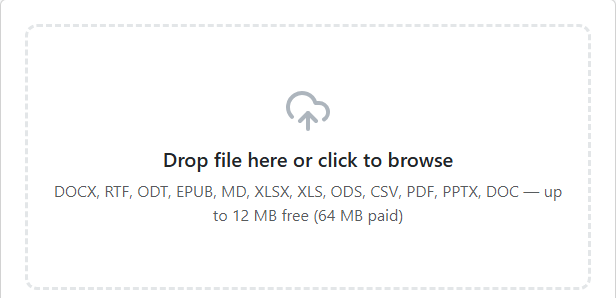
- Drag your file into the box, or click to choose it from your computer.
- Press Convert. The default settings suit most files. If yours is unusual, you'll find Advanced options there too.
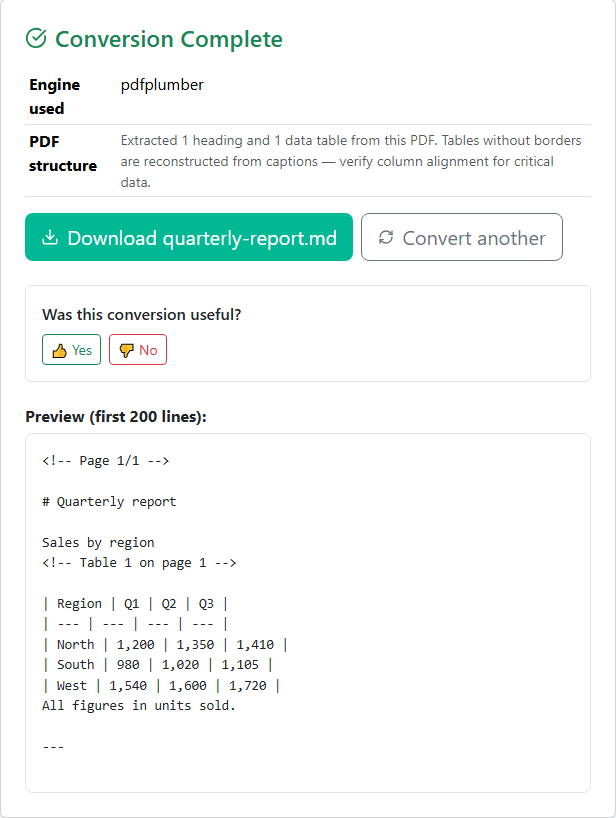
- Download the result. Then attach it in your chat, or copy its text in. Whichever you prefer.
What comes through, and what doesn't
From a PDF, you get the text, and tables come out as tables. Headings and bullet lists aren't always recognised in PDFs, so some may arrive as ordinary text, and pictures inside a PDF are not carried over. From a Word file, the title, headings, lists and tables come through, and its pictures come back too, in a .zip together with the Markdown. Either way, the result won't look like your original: it's the content, ready for your AI. If something couldn't be carried over, the result tells you rather than hiding it.
Your files stay yours
Your file and its result are kept for about 24 hours, then deleted automatically. If a conversion fails or shows a warning, we keep a copy longer, only to fix the problem; the privacy policy has the details. We don't use any data to train AI. One thing to know: to read scanned pages, we send them to outside AI providers, and their own data policies apply to those pages.
FAQ
My PDF has a password. Will it work?
Not as it is: we can't open password-protected PDFs. Open the file in the program you normally read it with, remove the password, save a new copy, and upload that one.
How large can my file be?
On a free account, files up to 12 MB and PDFs up to 32 pages. With a credit pack, you can upload files up to 64 MB.
Can I convert Word, Excel or PowerPoint files too?
Yes, in the same box. Each sheet of an Excel file becomes a table. A PowerPoint file gets one section per slide, with the slide title as a heading and your speaker notes kept. You can also upload DOC, RTF, ODT, EPUB, XLS, ODS, CSV, HTML, MD and TXT files.
What if the conversion fails?
You're not charged anything. Try again, or choose a different output format. If it still doesn't work, write to us at support@mdconvert.org.
Can I upload a photo or a screenshot of a page?
Not directly: JPG, PNG and other image files can't be uploaded. Save the photo as a PDF first. Its text can then be read once you've bought a credit pack, because a photo has no text inside until it's read like a scan.